Photographers: Use ISO 8601 Dates and a README for Reliable Photo File Naming

The pattern to adopt is YYYY-MM-DD_Project-or-Subject_Location_###.ext, written date-first so operating systems sort every file chronologically without extra effort. A wedding shot on August 12, 2024, in St. Mary’s Chapel becomes 2024-08-12_SmithWedding_StMarys_001.jpg. That structure works because it borrows the ISO 8601 date standard, which sorts correctly on every operating system, and because it identifies the file without anyone opening it first.
TL;DR:
Use a date-first pattern with ISO 8601 format to ensure chronological sorting across all operating systems and platforms.
Keep filenames short, descriptive, and consistent, using only ASCII letters, numbers, hyphens, and underscores to maximize compatibility.
Zero-pad sequence numbers to maintain proper order, especially for large shoots with many files, and avoid renaming raw files until verification.
Store detailed shoot context in metadata fields rather than in overly complex folder structures, which should be limited to three levels for ease of access.
Write a clear README file documenting your naming conventions, abbreviations, and rules to prevent system drift and ensure consistency over time.
Table of Contents
Photo File Naming Patterns You Can Copy Today
The core pattern above earns its place at the top of every photographer’s workflow because it front-loads the one variable that never lies: the date. Cameras record it automatically, clients rarely dispute it, and it sorts perfectly whether you’re browsing a folder on a MacBook or scrolling a client gallery on a phone. Everything after the date exists to add human context a computer can’t infer on its own.
A few variants serve different situations better than the primary pattern.
Shorthand for speed: YYYYMMDD_Project_###.ext drops the hyphens for photographers who batch-rename thousands of files during a busy festival season and want shorter strings.
Archival and version-heavy work: YYYY-MM-DD_Project_Location_v1_001.tif adds a version tag when you’re revisiting scans or re-editing a file months later.
Client-facing deliverables: insert the client’s last name or a short project code (SmithWedding, NatGeoSubmission) right after the date so anyone searching a shared drive finds the right shoot instantly.
Camera or body identifier: photographers shooting with two bodies sometimes add a short camera tag (A7IV or R5) before the sequence number to keep dual-card imports from colliding.
Unknown or partial dates: for inherited archives or scanned family photos where only the year is known, YYYY-00-00_Subject_001.ext preserves the chronological grouping while flagging the missing precision for later research.
Pro Tip: Never rename raw camera originals until you’ve confirmed the new names against your shot list. A single typo in a date field, applied across 400 files in a batch rename, is a much bigger headache than fixing one filename by hand.
The Technical Rules Behind a Portable Filename
A filename that looks fine on your laptop can break the moment it lands on a client’s Windows machine or gets uploaded to a contest submission form. A few technical constraints keep that from happening.
Stick to ASCII letters, numbers, hyphens, and underscores. Skip spaces entirely, since they turn into %20 strings in web addresses and cause headaches in scripts. Avoid the characters reserved by various operating systems: / : * ? " < > | \. Google’s developer style guidance recommends lowercase letters and hyphens specifically because they improve compatibility across servers and search tools, a habit worth borrowing even outside code repositories.
Length matters more than most photographers assume:
Full file paths (folder names plus filename) are capped around 255 characters on most systems, and hitting that ceiling causes silent copy failures.
Aim for 25 to 50 characters in the filename itself. Long enough to be descriptive, short enough to read at a glance.
Zero-pad your sequence numbers (001, 002, not 1, 2) so files sort correctly once you pass number nine.
Padding width isn’t one-size-fits-all. For smaller shoots, two digits may suffice for sorting. For larger shoots with many files, using three digits or more is recommended to ensure numerical order is maintained. The National Archives lists zero-padded sequencing among its core precepts for reliable file organization, alongside consistency and human readability. Columbia University’s photo library guidance adds a punctuation rule worth adopting: underscores between major elements, hyphens within a single element (so St-Marys inside one segment, _ separating that segment from the date and sequence).
Folder Structures That Complement Your Naming Convention
A strong filename convention loses most of its value if it sits inside a folder tree six layers deep. Professional organizers generally advise against nesting past three levels, since every additional click makes a file harder to find and more likely to get duplicated or misplaced.
Two structures cover nearly every photography workflow:
Date-first, for long-term archives. Year > Month > Project (or simply Year > Project) suits photographers building a personal archive over many years, where chronology is the primary way you’ll want to browse later.
Project-first, for active client work. Client > Project > Date fits working photographers juggling multiple simultaneous jobs, since it groups everything by the relationship that actually drives your calendar.
Hybrid for contest and submission prep. A shallow Year/Client_Project folder with all context baked into the filename itself avoids the temptation to keep adding subfolders for “edits,” “selects,” and “final,” which is exactly the kind of drift that turns a clean archive into a maze within two years.
If a shoot genuinely needs more context than a three-level folder tree provides, put that context in the filename or in a companion metadata file. Don’t solve it by adding a fourth folder layer.
Applying Your Naming Convention at Scale
A naming convention only earns its keep once it survives contact with a 2,000-frame wedding or a week-long festival shoot. The workflow that holds up under that volume runs in a predictable sequence: ingest the cards, cull and select the keepers, apply your naming preset during import, then export and back up.
Most photographers reach for one of a few tools to do the heavy lifting:
Camera-import presets in Lightroom or Apple Photos apply your date-project-sequence pattern automatically as files come off the card.
Fast culling software like Photo Mechanic lets you rate and rename in the same pass, which matters when you’re sorting thousands of frames the same night as a shoot.
OS-level batch rename tools (built into Windows File Explorer and macOS Finder) handle smaller jobs without any extra software.
Dedicated batch-rename utilities or simple scripts cover edge cases, like renaming files across multiple folders at once or applying conditional logic to scanned archives.
Pro Tip: Always run a preview or dry-run before committing a batch rename, and keep your original raw files untouched in a backup location until you’ve confirmed the new names are correct. Renaming is nearly always reversible in software, but a corrupted or overwritten original never is.
Filenames vs. Metadata: Two Jobs, Not One
A filename is the most portable piece of context a photo carries, because it survives transfers, uploads, and platform changes even when embedded metadata gets stripped or corrupted along the way. That’s exactly why it should stay short, structured, and consistent: date, short subject, sequence number, nothing more.
Everything else belongs in IPTC or XMP metadata fields instead:
Full captions and descriptions
Names of multiple people in a frame
Keywords for searchability
Copyright and usage rights
Location details beyond a short place name
Check that your metadata is actually embedded (not just visible in your editing software) by opening the file in a different application, like Preview or a free EXIF viewer, and confirming the fields still show. Filenames give you the fast, cross-platform identifier. Metadata gives you the searchable depth. You need both, and neither substitutes for the other.
Document the System Before It Drifts
Every naming convention degrades without a written reference. A README.txt saved in each top-level folder should spell out the pattern, define any abbreviations (SW for “Smith Wedding,” for instance), state the padding rule, list exceptions, and name who to contact with questions.
“Include a README file in the top-level directory that explains your naming conventions, abbreviations, and any exceptions to the pattern.” That principle, drawn from Stanford’s data management guidance, applies just as directly to a wedding photographer’s external drive as it does to a research lab’s dataset.
Sample filenames worth including in your own README: 2024-08-12_SmithWedding_StMarys_001.jpg, 20240812_FestivalDay1_045.jpg, 2023-00-00_FamilyArchive_112.tif. For photographers documenting a body of work for submission or long-term storage, our archive-focused coverage walks through how a well-labeled archive supports that process.
What Photographers Get Wrong About Naming Systems
The biggest failure isn’t a bad pattern. It’s no pattern applied consistently, followed by a slightly different pattern six months later when the photographer forgot their own rules. Institutional guidance from places like the National Archives and Stanford exists precisely because organizations lose this consistency at scale, and a solo photographer’s hard drive is no different from a research archive in that respect. Both drift without a written reference.
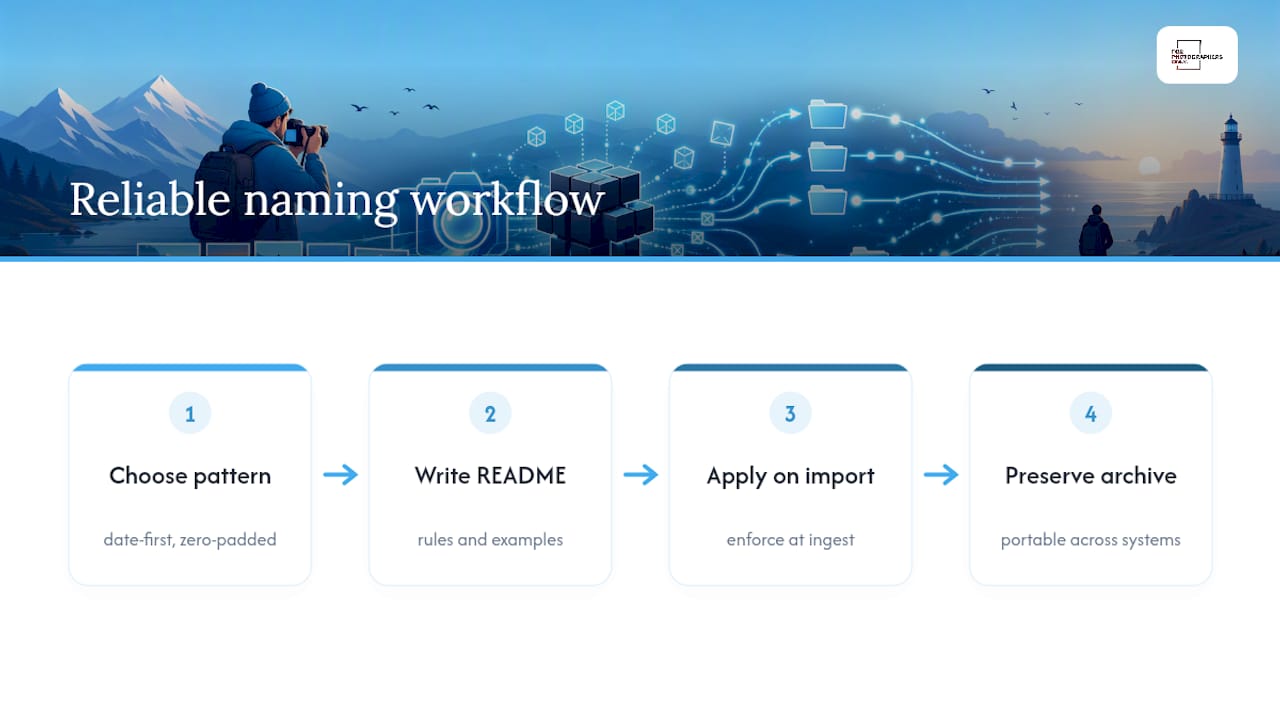
Conventional advice tends to obsess over the “perfect” pattern and ignore the boring part: documentation and enforcement. A README costs five minutes to write and saves hours of confusion eighteen months later when you’re searching for a shoot and can’t remember whether you used underscores or hyphens that year.
If you take one thing from this: pick the date-first pattern, zero-pad your sequences, write the README today, and apply the convention at import so you’re never retrofitting names onto thousands of files after the fact. The tools matter less than the discipline of using them the same way every single time.
— DARIO
Ready to put well-organized, well-documented work in front of the right audience? Browse the Fotograf Festival International Open Call on Forphotographersonly, where a clean archive and consistent file naming make submitting your strongest frames far less painful. For photographers thinking about how naming and metadata affect discoverability beyond a personal archive, this image SEO guide is worth a read alongside your own submission prep.
Sources
Recommended