300 DPI & Landscape: U.S. Calendar Photo Contest Checklist, Deadlines
Yes, calendar photography contests run every year across the United States, and several are open right now. Acceptance comes down to four things: submission deadline, horizontal orientation, print-ready resolution at 300 dpi or higher, and your willingness to agree to the contest’s usage terms. Check the deadline first, confirm your file meets the pixel minimum, then read the fine print on rights before you upload anything.
TL;DR:
Most contests demand horizontal orientation because calendars are wide rectangles, and vertical images are automatically disqualified during early screening.
The universal minimum resolution is 300 dpi, which translates into specific pixel dimensions like 3,300 by 2,550 pixels for print quality on standard calendar sizes.
Eligibility rules often restrict entries based on location, membership, or subject, with most contests limiting submissions to one to three photos per person.
Penalties for common mistakes include submitting vertical images, low-resolution files, or photos outside the eligibility window, which usually lead to automatic disqualification.
Using a reliable, updated contest directory can save hours by consolidating deadlines and rules, enabling focused shot planning and timely submissions.
Table of Contents
The Calendar Photography Contests Worth Your Attention This Year
Community banks, wildlife agencies, and municipal governments run some of the most consistent calendar photo contests in the country, and each has its own quirks worth knowing before you submit.
Littleton’s annual calendar photo contest (Colorado) restricts entries to photographers who capture scenes within the city limits, pairs a modest prize with civic recognition, and requires horizontal orientation and 300 dpi files as a baseline entry requirement.
Beehive Federal Credit Union’s calendar contest runs a tight window, typically mid-August through late September, and requires members to submit landscape images no smaller than 3,300 by 2,550 pixels, capped at a 10 MB file size, with cash prizes sometimes awarded to winners.
Union Bank’s calendar photo contest follows a similar seasonal theme structure, asking entrants to hit specific pixel minimums and offering tiered prize amounts depending on whether a photo lands a monthly spot or the cover.
Columbia River PUD’s calendar contest limits entries to residents within its service territory and enforces upload specs through its online portal, rejecting files that fall short of its stated resolution floor.
Wyoming Game and Fish’s Wyoming Wildlife calendar photo contest opens its window in May and closes it in mid-June, restricts entries to wildlife photographed within Wyoming, enforces ethical field practices, and explicitly bans AI-generated images.
Citizens Bank of West Virginia’s calendar photo contest caps entries at three photos per person, requires horizontal JPG or PNG files at a minimum of 10 megapixels or 300 dpi, and structures its prizes around monthly and grand-prize winners.
Each of these treats the calendar format the same way: twelve print slots, one photo per month, and zero tolerance for files that won’t hold up on a press.
Why 300 DPI and Landscape Orientation Dominate the Rules
Calendar layouts are wide rectangles, not squares or portraits, so nearly every organizer treats horizontal orientation as a hard filter before a human ever looks at your composition. A vertical shot of a mountain range might be stunning, but if it doesn’t crop cleanly into a landscape frame, it’s out before judging even starts.
Resolution follows the same logic. 300 dpi is the near-universal minimum cited across municipal and bank-run contests, because that’s the density a commercial printer needs to reproduce detail without visible pixelation on a page that might measure 11 by 17 inches or larger.
Here’s how that dpi requirement translates into actual pixel dimensions for common calendar sizes:
Accepted file formats are almost always JPEG, TIFF, or PNG, with upload caps ranging from roughly 2 MB on some municipal portals up to 25 MB on more generous bank-run entry systems. Never upscale a low-resolution image to hit these numbers. Software can add pixels, but it can’t add detail, and jurors spot the soft, artificial look of an upscaled file almost instantly during print proofing.
Rules That Disqualify Entries Before Judging Even Starts
Eligibility scope trips up more entrants than bad technical files do. Bank and credit union contests typically require active membership or account status. Municipal contests, like Littleton’s, restrict entries to photos taken within that specific jurisdiction. Wildlife contests such as Wyoming’s require the subject to have been photographed within state lines under ethical field conditions.
Most contests cap entries at one to three photos per person, and only one winning image per entrant typically makes the final calendar.
Model releases are required whenever a recognizable person appears in the frame; property releases apply to private buildings or branded locations.
Usage rights usually grant the organizer calendar-use and promotional rights with photographer credit, though some contests request broader copyright transfer, so read that clause before you agree to anything.
Winners receiving cash prizes in the U.S. commonly need to submit an IRS Form W-9 for tax reporting before payment goes out.
How Judges Actually Pick the Winning Photos
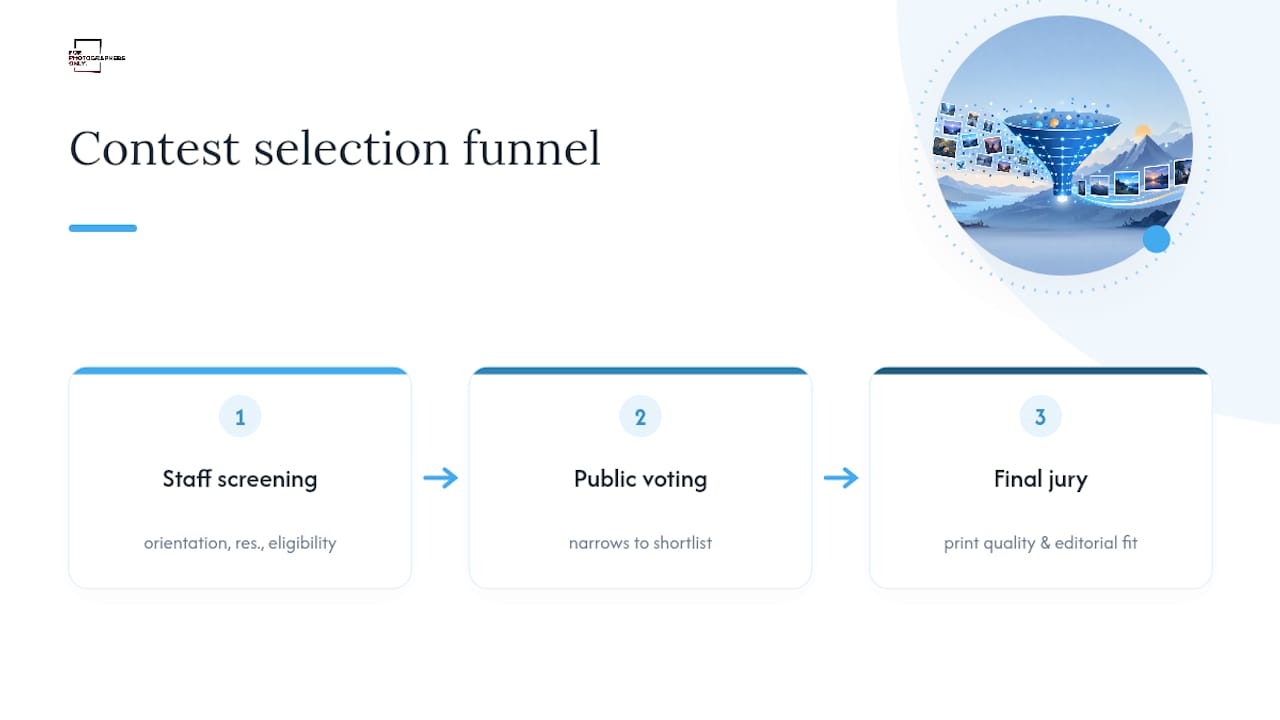
Most calendar contests run a three-stage funnel. Staff first screen every submission for compliance, orientation, resolution, and eligibility, cutting anything that fails the technical bar before a single vote is cast. Public voting then narrows the surviving pool into a shortlist, largely as an engagement tool. A final jury, often made up of local officials, credit union staff, or wildlife biologists, makes the actual selection to protect print quality and editorial consistency.
Jurors weigh cropability for the month grid layout, thematic consistency, technical clarity, and, in community contests, whether the subject genuinely represents the local area. A technically flawless photo lacking local relevance still gets passed over in favor of a rougher shot that fits the theme.
Pro Tip: Write a caption that names the location, subject, and month you’re targeting. A clear, specific caption helps both casual voters and time-pressed jurors immediately see why your photo earns a calendar slot.
Plan Your Shooting Calendar Around Their Submission Calendar
May through June: Wildlife and nature-focused contests, like Wyoming’s, open their submission windows first, since summer wildlife activity peaks early.
Late summer (August–September): Most community bank and credit union contests, including Beehive’s, open and close their windows in this stretch, feeding directly into next year’s calendar.
Early fall: Public voting periods run for shortlisted entries, followed by jury deliberation.
October through November: Winners get notified, and printed calendars typically become available to the public by late November or December.
Start gathering releases and raw files by early summer so you’re not scrambling when a contest’s window opens.
Your Print-Ready Export Checklist Before You Upload
Run through this before you touch the submission form:
Confirm the image is horizontal. Crop now if it isn’t, and check that nothing important sits too close to the edges where a printer might trim.
Verify pixel dimensions match or exceed the contest’s stated minimum. Aim for 3,300 x 2,550 or larger if no specific number is listed.
Export as a high-quality JPEG or TIFF in the sRGB color space, since most print vendors expect sRGB rather than Adobe RGB files.
Strip out any watermark, timestamp, or embedded text overlay. Nearly every contest rejects marked images outright.
Rename the file exactly as the organizer requests, since automated intake systems often reject mismatched filenames.
Keep your original raw or lossless master file. If you win, some organizers request a higher-resolution proof before printing.
Keep a lossless master on your drive even after exporting a compressed JPEG for upload. A judging methodology that includes a final print check will sometimes ask for that higher-quality file weeks after you thought the process was over.
Common Mistakes That Sink Otherwise Strong Entries
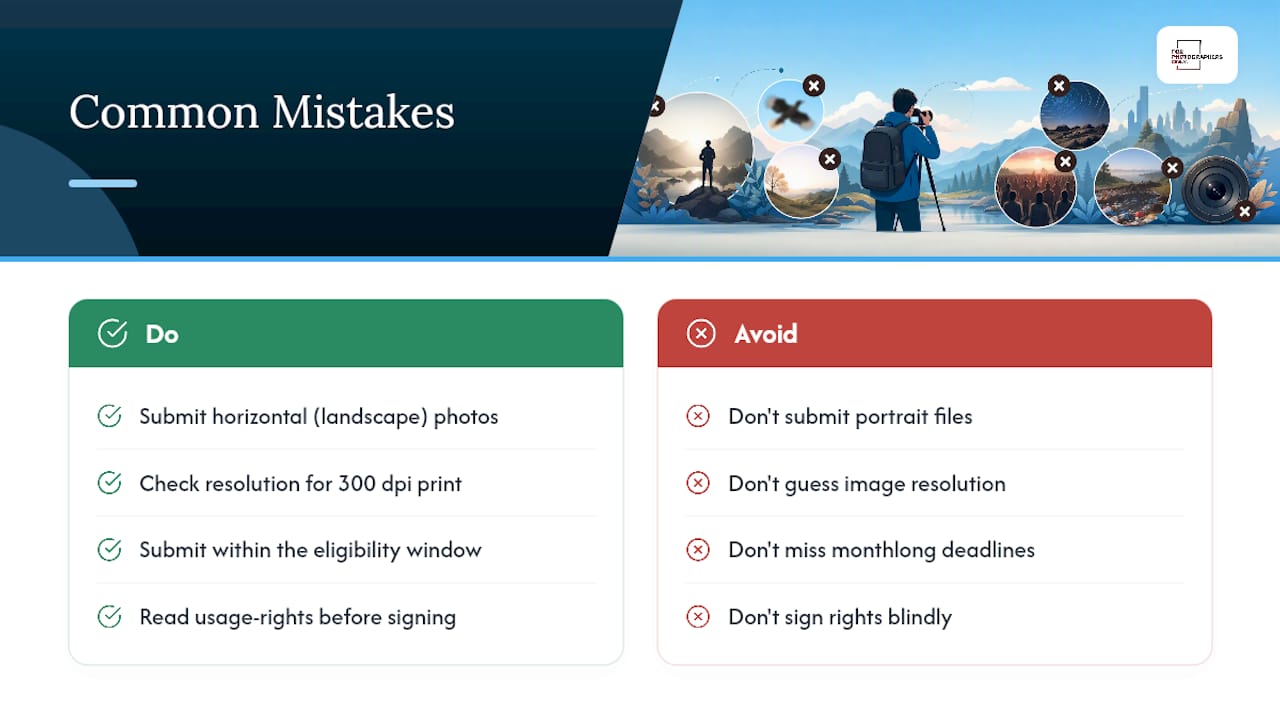
The single most frequent error is submitting a vertical shot and hoping a jury will “figure out” the crop. They won’t. Calendars are horizontal by design, and most organizers screen out portrait-oriented files automatically before a human ever evaluates the composition.
The second mistake is guessing at resolution instead of checking it. A photo that looks sharp on a phone screen can fall well below 300 dpi once you calculate its actual print size, and organizers rarely offer a grace period for underspecced files.
Missing the eligibility window trips up more entrants than any technical flaw. Bank and credit union contests often run tight, monthlong submission periods, and late entries typically get discarded without review, regardless of image quality.
Skipping the usage-rights section is another costly habit. Some contests ask for a simple calendar-use license; others request broader copyright transfer. Sign without reading, and you may lose control over commercial use of your own photo down the line. Also watch entry-limit rules: submitting five photos when the cap is three usually gets the excess entries rejected rather than flagged for correction.
Finally, ignoring theme relevance costs entrants who submit a beautiful but generic image to a contest built around local landmarks or wildlife found within specific state boundaries. Read what the contest actually wants before assuming your best shot automatically qualifies.
What a Curated Contest List Actually Saves You
Chasing deadlines across a dozen municipal, bank, and wildlife agency websites eats hours you could spend shooting. Forphotographersonly tracks these opportunities alongside hundreds of other international competitions, updating listings weekly so deadlines, fees, and rules sit in one chronological view rather than scattered across bookmarks.
Once you’ve confirmed a contest fits your work, add its deadline to a submissions calendar and set a reminder two weeks out, giving yourself time to re-check orientation and resolution before the window closes.
Skip the Scavenger Hunt for Contest Deadlines
Hunting down calendar photography contests one municipal website and bank homepage at a time costs you shooting hours you don’t get back. There are services offering a continuously updated directory of 320 to 330 active international photography competitions, including more than 100 free-to-enter opportunities, refreshed every week so you’re never relying on a stale deadline.
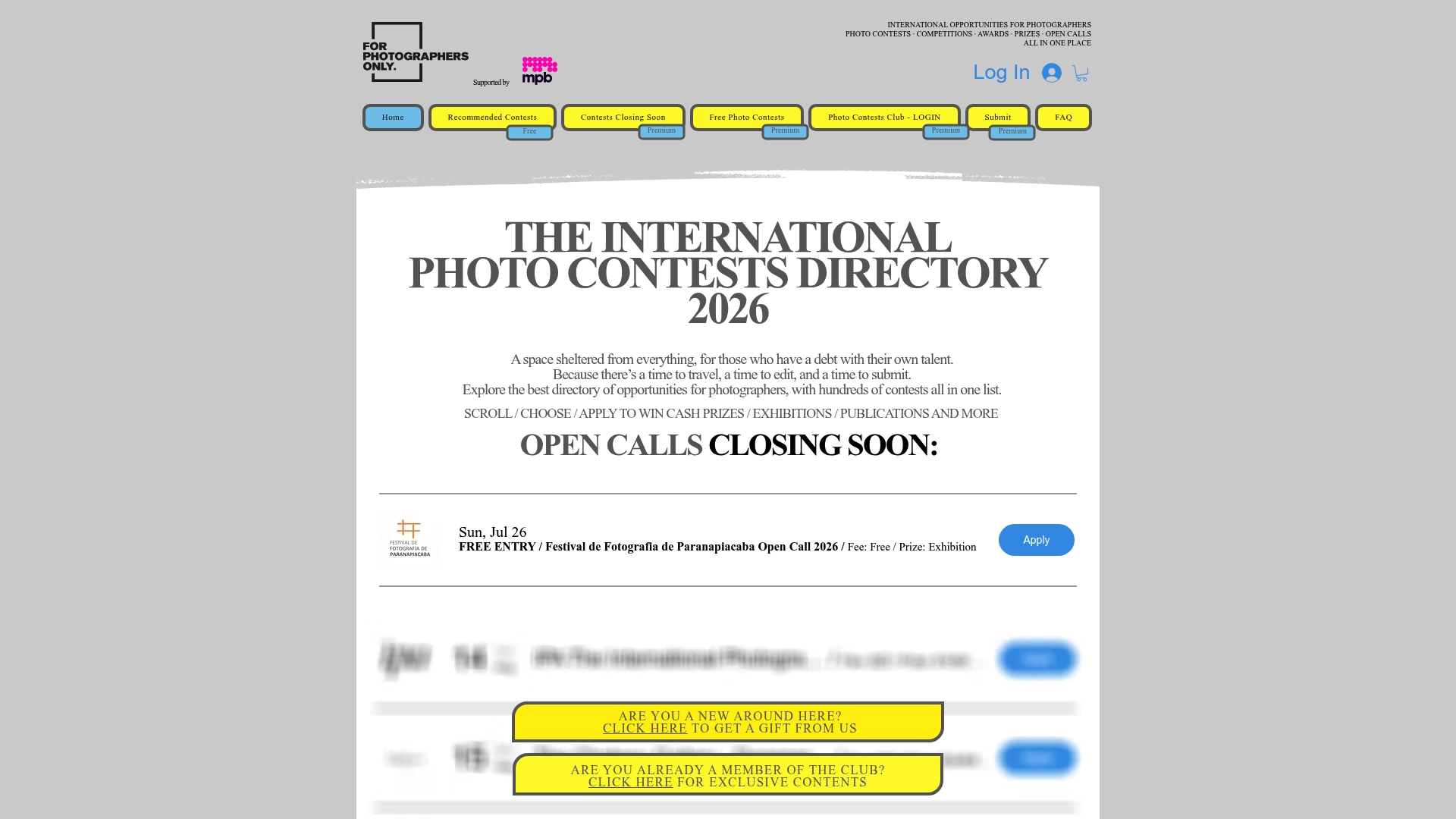
Instead of bookmarking a dozen separate contest pages, you get one place to filter by genre, fee, and deadline, including opportunities well beyond calendar contests, from gallery exhibitions to editorial features that build your portfolio’s credibility. Subscriptions to some photography contest directories start around $6 a month and unlock full listings beyond limited public previews. Start a trial, scan the current deadlines, and add the ones that fit your portfolio to your submissions calendar today at Forphotographersonly.
Sources
Recommended