Save Over $125/Month: Adobe Stock vs Shutterstock for Creatives

Pick Adobe Stock if your daily work lives inside Photoshop, Premiere Pro, or Illustrator and you want licensing to happen without leaving the canvas. Pick Shutterstock if you need standalone search precision, deeper editorial coverage, or a library you can browse without a Creative Cloud subscription. Many working teams end up running both, using each for what it does best rather than forcing one tool to cover every job.
TL;DR:
Continuous high-volume licensing benefits from larger subscription plans, lowering the cost per asset below $1 at 200 downloads monthly, but only if fully utilized.
Contributor earnings increase with effective keywording, tracking monthly download trends, and choosing non-exclusive distribution across multiple platforms.
Adobe Stock’s in-app licensing saves time for Creative Cloud users, whereas Shutterstock’s granular filters and broader editorial coverage suit different working needs.
Support response times are generally quicker with Shutterstock, but licensing restrictions related to regions or releases can impact content reuse in specific campaigns.
A two-week trial of both platforms helps assess workflow efficiency gains and licensing clarity before committing to a long-term plan.
Table of Contents
Adobe Stock vs Shutterstock: The Quick Comparison
Before diving into pricing tables and license fine print, here’s the shape of the decision. Neither platform is objectively “better” in a vacuum. Each wins for a specific kind of buyer.
Adobe Stock is best for:
Design teams already paying for Creative Cloud who want assets to drop straight into a working file
Solo designers who value curated, consistent-quality search results over sheer volume
Agencies managing licenses across a Creative Cloud team account
Shutterstock is best for:
Buyers who need editorial photography, news imagery, or event coverage in real depth
Anyone working outside Adobe’s ecosystem, in Canva, Figma, or a CMS
High-volume purchasers who want the widest possible net when searching a specific concept
Use both if: you run a mixed team where some staff members live in Creative Cloud and others don’t, or you regularly need editorial content that Adobe Stock simply carries less of.
Comparison Dimension | Adobe Stock | Shutterstock |
Best for | Creative Cloud teams | Standalone buyers, editorial needs |
Entry pricing | From $29.99/month | From $29/month |
Standout feature | In-app licensing inside Creative Cloud | Deep editorial library, granular filters |
Asset types | Photos, vectors, video, audio, 3D, templates | Photos, vectors, video, audio, editorial, music |
License limits | Standard license capped around 500,000 prints | Standard license capped around 500,000 prints |
Contributor payout | Tiered royalty, monthly payout | Tiered royalty, monthly payout |
Workflow integration | Native in Photoshop, Premiere, Illustrator | Browser based, third-party plugins |
Editorial depth | Moderate, curated selection | Wide, frequently updated |
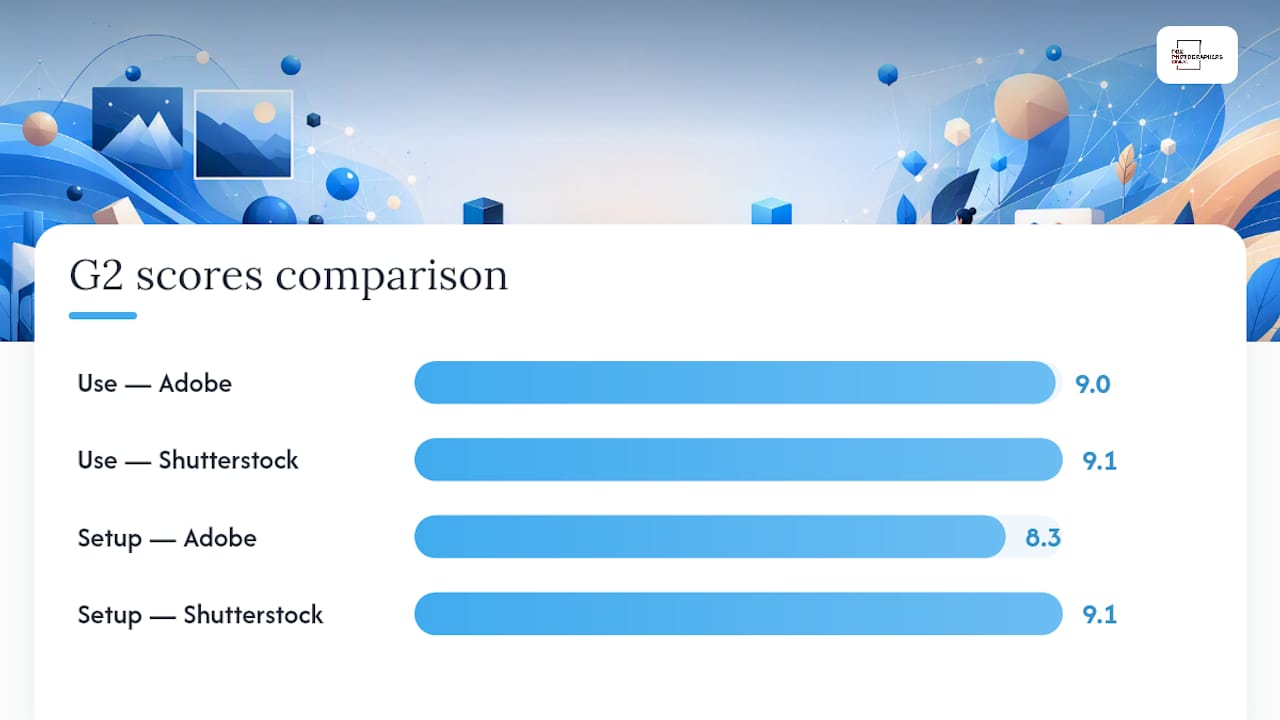
Both platforms cap standard-license print runs at a high number of copies before an enhanced license comparison becomes necessary, and both structure single-seat versus team access in similar ways. On raw usability, G2’s user ratings give Shutterstock a slight edge, with users scoring it 9.1 out of 10 on ease of use against Adobe Stock’s 9.0. The setup gap is wider: Shutterstock scores 9.1 on ease of setup versus Adobe Stock’s 8.3, likely reflecting the extra step of connecting Creative Cloud credentials before licensing works smoothly.
What Does Each Platform Actually Cost?
Sticker price tells you almost nothing here. What matters is cost per asset at your actual download volume, and that number shifts dramatically depending on which pricing model you choose.
Both vendors offer subscription tiers, and both also sell credit or on-demand packs for occasional buyers who don’t want a recurring commitment. Verified US pricing puts Adobe Stock’s entry plan at $29.99 per month, while Shutterstock’s comparable entry tier starts at $29 per month. The difference of 99 cents is trivial on its own. What isn’t trivial is how many assets each plan actually includes, because that’s where the real cost per download hides.
Low volume (5 downloads/month): A monthly subscription rarely makes sense here. Credit packs or single-image purchases typically land cheaper per asset than committing to a subscription tier built for higher throughput.
Moderate volume (20 downloads/month): This is the sweet spot for most entry-level subscription plans on both platforms. Per-asset cost drops sharply compared to buying individually, often into the $1 to $3 range depending on the specific plan.
High volume (200 downloads/month): Larger subscription tiers or unlimited-style plans become the only sensible option. At this scale, per-asset cost can fall below $1, but only if you’re actually using the full allotment each month.
Pro Tip: Track your actual monthly download count for 60 days before committing to an annual plan. Most creatives overestimate their volume and end up paying for capacity they never use.
Rollover and expiration rules matter more than most buyers realize. Credit packs on both platforms tend to expire, often within a year of purchase, and unused subscription downloads generally don’t roll over to the next billing cycle. That structure quietly disadvantages inconsistent buyers who license heavily one month and barely at all the next. Refund and expiration policies differ enough between vendors that it’s worth reading the fine print before you commit to a 12-month plan, particularly around promotional first-month pricing that reverts to a higher renewal rate.
If you’re weighing a monthly plan against an annual one, run the math on your busiest and slowest months separately rather than averaging across the year. Annual plans reward consistency; they punish anyone whose download needs spike seasonally.
How Do License Terms and Usage Limits Compare?
Standard licenses on both platforms cover the vast majority of commercial use cases: web design, social media, digital ads, print marketing up to a defined run size. Where things get complicated is the edge cases, and that’s exactly where creatives get burned if they don’t check first.
Standard licenses on both platforms cap print runs around 500,000 copies, beyond which an enhanced or extended license is required.
Merchandise for resale (t-shirts, mugs, printed products meant to be sold) almost always requires an enhanced license on either platform, not the standard one.
Templates and design elements you plan to resell as part of a product typically fall under enhanced licensing terms too.
Single-seat licenses cover one user; team access requires either a team plan or per-seat licensing, and using a single-seat asset across a five-person studio technically violates most standard agreements.
Transferring a license to a client, so the client legally owns usage rights instead of your agency, requires specific transfer permissions that aren’t automatic on either platform.
Editorial-only content, common in news and event photography, cannot be used for commercial or promotional purposes regardless of which platform it came from.
Both platforms have added language addressing AI and machine-learning training restrictions on certain assets, a response to contributor concerns about their work feeding AI models without compensation.
The license comparison from LicenseOrg is worth bookmarking if you regularly license for clients, since misreading a transfer clause is one of the most common (and expensive) mistakes agencies make. Read the specific license text on the asset page every time, not just the general policy, because individual contributor agreements occasionally carry extra restrictions.
Which Platform Has the Bigger Library?
Adobe Stock’s catalog traces back to Adobe’s 2014 acquisition of Fotolia, which consolidated a major stock library under the Creative Cloud umbrella and set the foundation for today’s curated collection. Shutterstock built its catalog organically over a longer runway and has developed a reputation for one of the deepest editorial libraries among major stock providers.
Photos and vectors: Both platforms offer extensive coverage; Adobe Stock leans curated, Shutterstock leans exhaustive.
Video and audio: Both include 4K video and royalty-free music libraries, with comparable breadth.
3D and templates: Adobe Stock has an integration advantage here since 3D assets and templates plug directly into Adobe’s design tools.
Editorial content: Shutterstock is widely cited for deeper editorial coverage, a meaningful factor if you regularly need news, sports, or event imagery.
AI-generated assets: Both platforms now sell AI-generated stock content, clearly labeled, alongside traditional photography.
TrustRadius frames the split cleanly: Adobe Stock’s advantage is curation and Creative Cloud integration, while Shutterstock’s is library size and licensing flexibility. Neither wins outright on breadth versus quality. If you’re worried about overused stock visuals showing up in a competitor’s marketing next month, run a reverse image search on any asset you’re seriously considering before you license it, especially anything that ranks high in generic searches like “business handshake” or “team meeting.”
How Much Can Contributors Actually Earn?
Contributor economics differ enough between these two platforms that submission strategy should never be an afterthought. Royalty structures on both use tiered percentages that increase as your download count climbs, but the tiers, resets, and payout timing work differently enough to change your effective annual income.
Understand the royalty tiers before you submit. Both platforms pay a higher percentage per download once you cross lifetime download thresholds, so an active portfolio compounds in value over time rather than paying a flat rate forever.
Track payout cadence, not just royalty percentage. Monthly payouts sound identical on paper, but minimum payout thresholds and processing windows vary, which affects how quickly you see real cash.
Decide on exclusivity early. Committing your entire portfolio exclusively to one platform can boost your per-download rate on that platform, but it locks out revenue from anywhere else.
Prioritize keywording over volume. A smaller, precisely keyworded portfolio often outearns a large sloppy one, because discoverability drives downloads more than raw asset count.
Diversify distribution where policies allow it. Non-exclusive contributors who spread strong work across multiple platforms, including a Shutterstock contributor account, tend to build higher lifetime earnings than exclusive contributors tied to a single vendor.
Pro Tip: Resubmit your best-performing keywords quarterly. Search trends shift, and an asset that underperformed at launch can suddenly start moving once buyer search terms catch up to it.
Discoverability differences matter as much as royalty math. A platform that pushes more search volume toward your specific niche will often outearn one with a marginally better percentage split, simply because more eyes see the asset in the first place.
In-App Licensing vs Browser Search: What Saves More Time?
Time is money for anyone billing hourly, and the workflow gap between these platforms is real, not marketing fluff.
Adobe Stock’s biggest advantage is licensing an asset directly inside Photoshop, Premiere Pro, or Illustrator, with no browser tab, no downloading, no re-importing.
Team accounts on Adobe Stock let an admin manage licenses and budgets across a Creative Cloud team without individual purchases piling up on separate cards.
Shutterstock’s standalone search interface, by contrast, offers more granular filters for color, composition, and orientation, useful precisely because it isn’t tied to any single editor.
Non-Adobe users, working in Canva, Figma, or a CMS, get no functional benefit from Adobe Stock’s in-app perk and may find Shutterstock’s browser workflow just as fast.
For agencies billing by the hour, the in-app time savings are worth modeling directly against Adobe’s subscription premium. If licensing inside Photoshop saves five minutes per asset compared to a browser round-trip, and you license twenty assets a month at a $75 hourly rate, that’s over $125 in saved time, easily covering the price gap between plans. Run both workflows for two weeks on a real project before deciding. Time yourself licensing five assets in each, and let the stopwatch settle the argument.
Do the AI Search and Generation Tools Actually Help?
Both platforms have leaned into AI, but for different jobs. Filter precision and metadata quality determine how fast you find the right existing asset, while generative tools determine whether you can just make one instead of searching at all.
“Find similar” tools on both platforms use visual matching to surface comparable assets once you’ve found one that’s close but not quite right.
Metadata quality, meaning how thoroughly an asset is tagged, drives search relevance more than any algorithm tweak, which is why strong image SEO practices matter just as much for contributors uploading assets as for anyone optimizing images for search visibility elsewhere.
Generative AI tools on both platforms produce commercially licensed output by default, meaning you don’t need a separate release to use AI-generated stock in client work.
Curation still beats generation for anything requiring a specific real person, a branded location, or documentary authenticity. AI generation wins for abstract backgrounds, concept art, or filler imagery where realism isn’t the point.
Photographers submitting AI-assisted or AI-generated work should also check platform-specific disclosure rules, since misclassifying AI content can affect eligibility in adjacent spaces like photo contests, even when the stock platform itself allows the submission.
How Do You Choose Between Adobe Stock and Shutterstock?
Run through this checklist before you commit to either platform:
Toolset check: Are you licensing inside Creative Cloud daily, or working in browser-based tools?
Budget check: Can you commit to a monthly subscription, or does irregular volume favor credit packs?
Volume check: Estimate your realistic monthly downloads, then match it against per-asset cost at that tier.
Editorial check: Do you regularly need news or event imagery that leans toward Shutterstock’s depth?
Contributor check: Are you buying, selling, or both, and does exclusivity make sense for your portfolio?
Team check: Does your organization need centralized license management across multiple seats?
Run a two-week trial on both platforms using a real project, and measure time saved per licensing event, how often you find the right asset on the first search, and whether the license language for your specific use case is clear. Watch for red flags: vague enhanced-license triggers, auto-renewal language buried in fine print, or contributor dashboards that don’t clearly show pending payouts.
Customer Service: Which Platform Responds Faster?
Support quality tends to separate these platforms more than most marketing pages admit. Adobe Stock support runs through Adobe’s broader Creative Cloud support system, which means help tickets often get routed through general Adobe channels rather than a dedicated stock specialist. That can mean longer resolution times for stock-specific licensing questions, since the support agent may need to escalate.
Shutterstock maintains a support structure closer to its stock business specifically, with account representatives who handle both buyer and contributor questions directly. Response times for straightforward licensing questions tend to be quicker on Shutterstock, based on general usability patterns reflected in its stronger ease-of-setup scores on G2.
For enterprise buyers on either platform, dedicated account management is typically available above a certain spend threshold, giving larger teams a direct contact rather than a general support queue. Freelancers and small studios usually rely on standard email or chat support, where response times fluctuate more.
If support responsiveness is a dealbreaker for your workflow, test it before committing. Send a genuine licensing question to both platforms’ support channels during your trial period and time the response. That single test tells you more than any marketing page about what happens when something actually goes wrong on a deadline.
Are There Regional Restrictions on Licensed Content?
Both platforms operate globally and sell licenses usable across most territories, but regional nuances still exist. Standard licenses from either vendor generally permit worldwide use of the licensed asset once purchased, meaning a US-based buyer can typically use an asset in a European ad campaign without an additional license.
Where restrictions do appear, they’re usually tied to the subject matter rather than the buyer’s location. A model release or property release attached to an asset may specify restrictions on use in certain countries, particularly for advertising involving recognizable people or private property, and those restrictions travel with the asset regardless of who buys it.
Localized content availability also varies. Both platforms have expanded contributor bases internationally, which means search results increasingly surface region-specific imagery, from local architecture to culturally specific scenes, that wasn’t as easy to find a decade ago. Buyers working on region-targeted campaigns benefit from this expansion, since the depth of localized content has grown on both platforms as international contributor pools have widened.
Currency and payment localization mostly affects contributors more than buyers, since buyers typically pay in their home currency through standard checkout, while contributor payouts involve more region-specific handling.
How Do Contributors Get Paid?
Payment structure matters as much as royalty percentage, especially for contributors depending on stock income as a real revenue stream rather than pocket money.
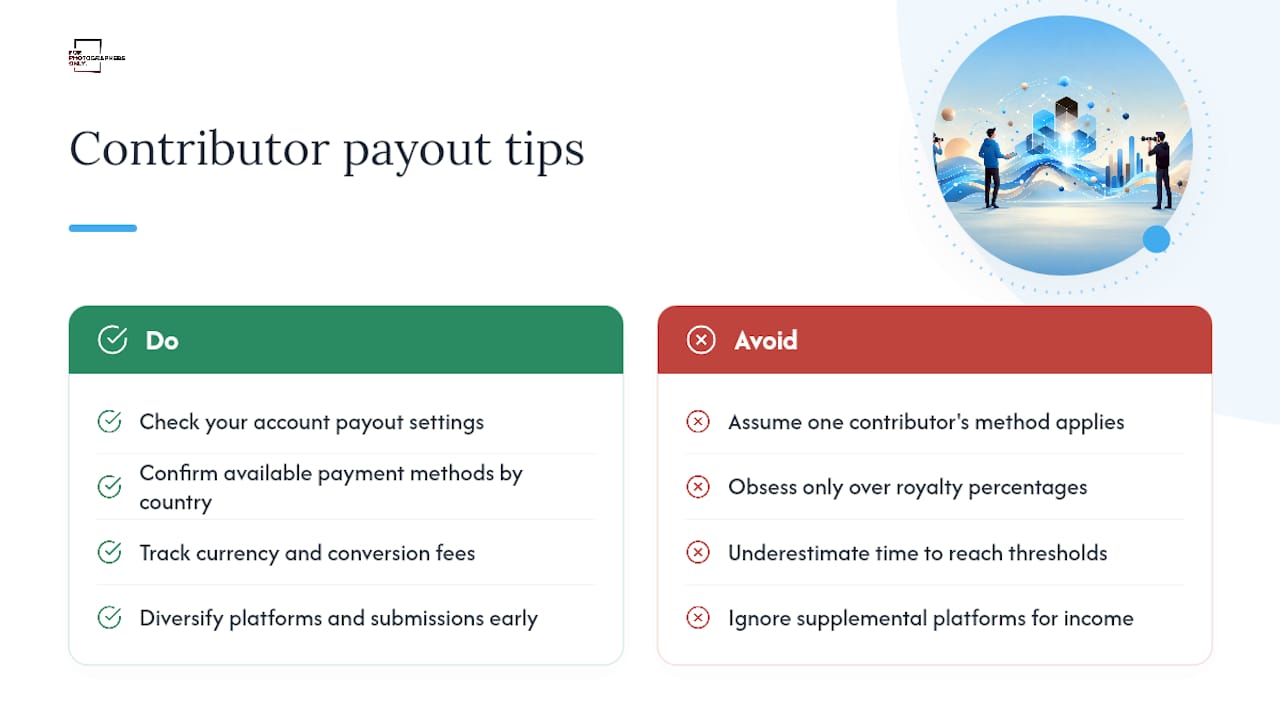
Both platforms pay contributors monthly, typically through direct methods like PayPal or bank transfer, though the exact payment method options and minimum payout thresholds differ by platform and by contributor’s country of residence. Contributors should check their specific account settings rather than assume a payout method available to one contributor applies universally, since availability sometimes depends on regional banking infrastructure.
Currency handling generally follows the contributor’s registered account currency or defaults to US dollars, with any conversion happening at the payment processor’s exchange rate rather than a rate set by the platform itself. That distinction matters if you’re tracking net income precisely, since conversion fees can quietly shave a percentage off an otherwise straightforward payout.
Minimum payout thresholds exist on both platforms, meaning earnings accumulate in your account until they cross a set dollar amount before a payout triggers. New contributors sometimes underestimate how long reaching that threshold takes with a small portfolio, which is part of why diversifying submissions and focusing on searchable keywords matters more early on than obsessing over royalty percentages. A Bigstock contributor profile or a platform like Can Stock can supplement income while you build volume on either major platform.
Do Mobile Apps and Third-Party Tools Work With Both?
Neither Adobe Stock nor Shutterstock centers its experience on a dedicated consumer mobile app the way a social platform would, but both integrate into broader workflows well beyond desktop browsers.
Adobe Stock’s real mobile advantage comes through Adobe’s suite of mobile apps, like Photoshop and Lightroom mobile, where Creative Cloud subscribers can browse and, in some cases, license stock assets without switching to a desktop. That integration extends Adobe’s in-app licensing philosophy to mobile editing, which matters for photographers and designers working on tablets in the field.
Shutterstock, being platform-agnostic, integrates through browser access on any device and through plugins for third-party software including Canva, Figma, Slack, and various content management systems. This flexibility matters for teams that don’t standardize on Adobe products, since Shutterstock’s asset library remains equally accessible whether you’re working in Adobe’s ecosystem or entirely outside it.
For contributors, both platforms rely primarily on web-based upload portals rather than dedicated mobile submission apps, meaning serious contributors still need desktop access for batch uploads, keywording, and metadata management. Mobile convenience favors buyers browsing on the go far more than it favors contributors managing a growing portfolio.
What Do Users Actually Say About Each Platform?
Real user feedback tends to be more candid than marketing copy, and the patterns are fairly consistent across review platforms. On G2, Shutterstock edges out Adobe Stock on both ease of use (9.1 versus 9.0) and ease of setup (9.1 versus 8.3), suggesting new users find Shutterstock’s onboarding smoother, likely because it doesn’t require connecting Creative Cloud credentials first.
Common praise for Adobe Stock centers on the in-app licensing experience and how naturally it fits into an existing Creative Cloud workflow. Common complaints tend to focus on the standalone browsing experience feeling clunkier than a dedicated stock site when you’re not licensing directly into an Adobe app.
Common praise for Shutterstock centers on search precision, filter depth, and the sheer size of its editorial library. Complaints tend to cluster around subscription renewal terms and occasional frustration with credit pack expiration windows, an issue that also affects Adobe Stock buyers.
Contributors on both platforms report similar friction points: keywording take time, approval processes can feel opaque, and early-stage earnings often disappoint newcomers who expected faster returns. Contributors who diversify across multiple platforms, including smaller marketplaces like Creative Market, tend to report steadier income than those relying on a single source.
Can You Sell the Same Photos on Both Platforms?
Yes, in most cases. Neither Adobe Stock nor Shutterstock requires exclusivity by default, meaning a contributor can upload the same portfolio to both platforms, along with others like Stocksy, and earn royalties from each independently.
Exclusivity becomes a choice rather than a requirement. Some platforms offer a higher royalty percentage in exchange for exclusive distribution rights, meaning a contributor agrees not to sell that specific content elsewhere in return for better per-download economics on that one platform. Whether that trade makes sense depends entirely on how much volume you’d realistically generate elsewhere.
Non-exclusive distribution tends to produce higher lifetime earnings for most contributors, since it multiplies discoverability across multiple search engines and buyer pools rather than betting everything on one platform’s traffic. The tradeoff is more administrative overhead, since managing metadata, keywords, and uploads across multiple accounts takes more time than maintaining a single exclusive portfolio.
Before choosing exclusivity, contributors should calculate what percentage bump they’re actually getting and weigh it against realistic sales volume on the platforms they’d be giving up. For most working photographers, spreading a strong portfolio across two or three platforms non-exclusively beats locking into one, even at a slightly lower per-download rate.
How Stock Licensing Fits Alongside Contest Exposure
Licensing income and contest exposure serve different goals, and confusing them costs photographers real opportunity. Stock platforms pay for volume and utility. Photography contests pay in visibility: exhibition, publication, and portfolio credibility that stock sales rarely deliver. A commercial stock seller should prioritize licensing income and keywording discipline. A photographer building a name should weigh contest submissions just as seriously, since a single placement in a respected competition can do more for a career than a hundred stock downloads. For Photographers Only tracks those opportunities across photography publications and beyond.
— DARIO
A Complementary Path: Building Exposure Beyond Stock Sales
Licensing photos through Adobe Stock or Shutterstock builds income. It rarely builds a name. If you’re a working photographer trying to grow recognition, not just royalties, stock platforms and photography competitions solve different problems, and treating them as separate strategies usually pays off better than expecting one to do the job of the other.
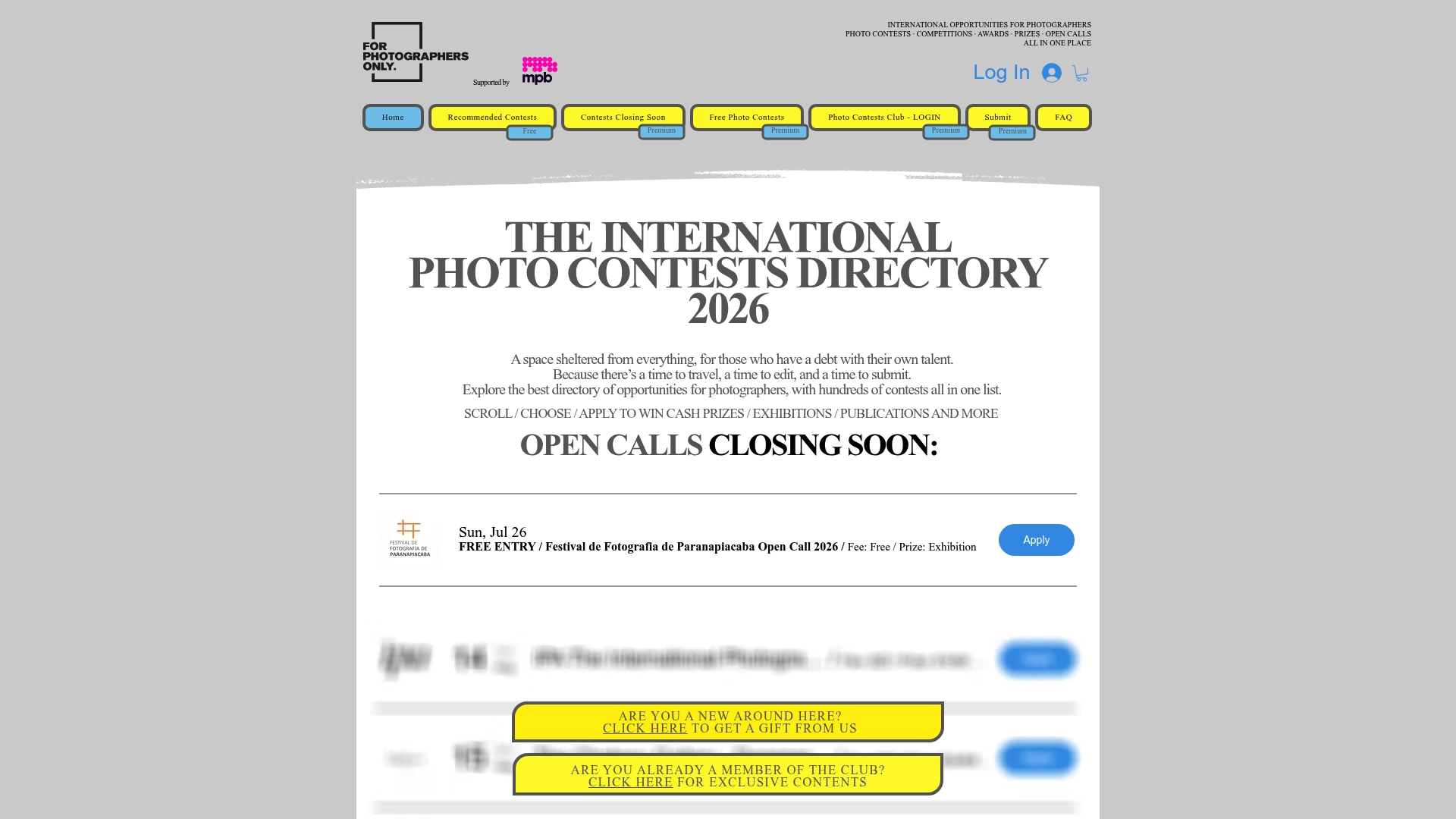
There is a curated directory of active international photography competitions, including free-to-enter opportunities, updated regularly so users avoid outdated listings. Instead of spending hours hunting scattered contest websites, users can access a continuously updated page covering competitions organized by major brands and smaller festivals worth entering.
Membership benefits include:
Access to the full curated contest list, refreshed weekly with new deadlines
Opportunities to win cash prizes, gallery exhibitions, and magazine publication
A growing portfolio of credentials that strengthen your standing in the wider photography industry
A community of photographers pursuing the same kind of recognition
Subscription runs 6 € per month or 40 € per year, with a free trial available. If your stock portfolio is earning steadily but your name isn’t getting anywhere, check this month’s open calls and submit your strongest work before a deadline passes.
Sources
FAQ
Is It Better to Sell on Adobe Stock or Shutterstock?
Neither is universally better for contributors; it depends on discoverability and royalty structure fit for your portfolio. Many photographers submit non-exclusively to both, since neither platform requires exclusivity by default, which tends to produce higher lifetime earnings than betting on one alone.
Why Is Adobe Stock Not Doing Well With Some Users?
Complaints usually center on setup friction rather than the core product. Adobe Stock scores 8.3 on ease of setup according to G2, noticeably behind Shutterstock’s 9.1, largely because connecting Creative Cloud credentials adds a step new users don’t expect.
Can You Actually Make Money on Adobe Stock?
Yes, though earnings scale with portfolio size, keywording quality, and download tiers rather than a flat rate. Contributors who diversify across multiple platforms and focus on strong metadata tend to build steadier income than those relying on volume alone.
Do People Actually Make Money on Shutterstock?
Yes, and Shutterstock’s deep editorial library and search precision often drive higher discoverability for niche or news-style content. Royalty tiers increase with lifetime downloads, so an established, well-keyworded portfolio earns more per download over time than a new one.
How Much Do the Entry-Level Plans Cost?
Adobe Stock’s entry plan starts at $29.99 per month, while Shutterstock’s comparable entry tier starts at $29 per month, based on verified US pricing. Actual cost per asset depends heavily on your monthly download volume, not just the sticker price.
Recommended